Send Letter Step
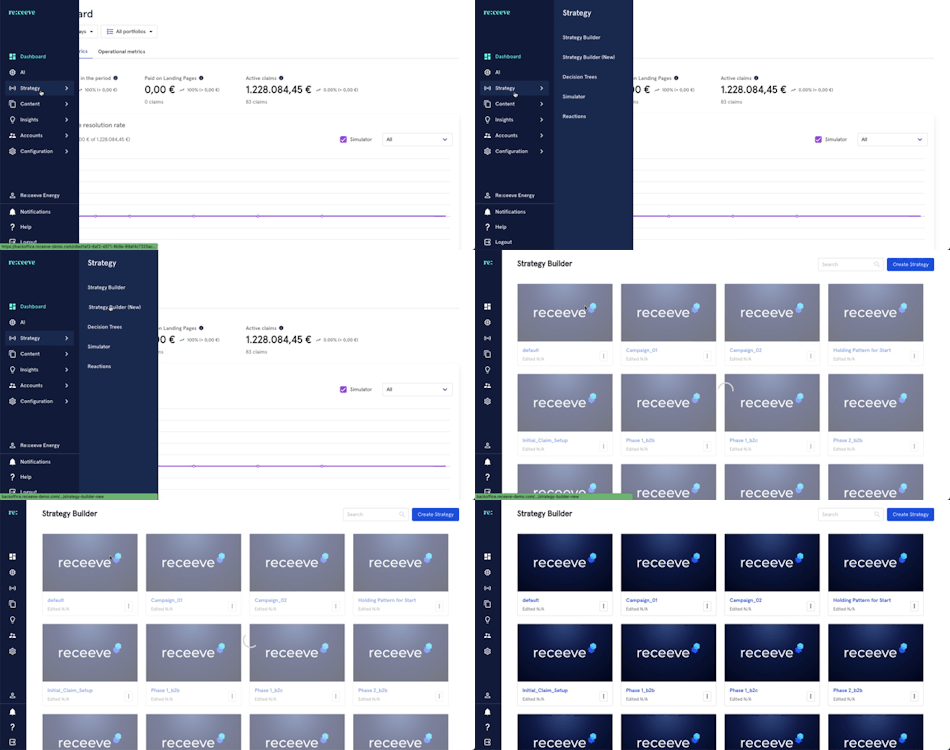
To configure the step type ‘Send letter’. We go to the Strategy in the menu and click Strategy Builder.
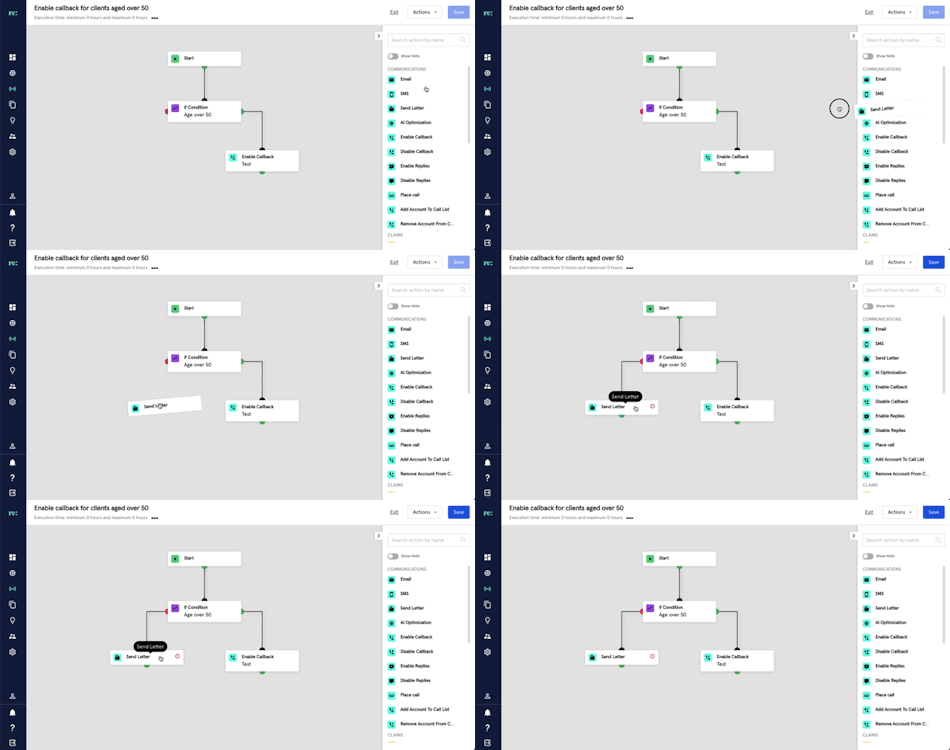
Start by dragging the 'Send letter' step from the step library onto our strategy. The 'Send letter' step is with a blue icon under the Communications section.
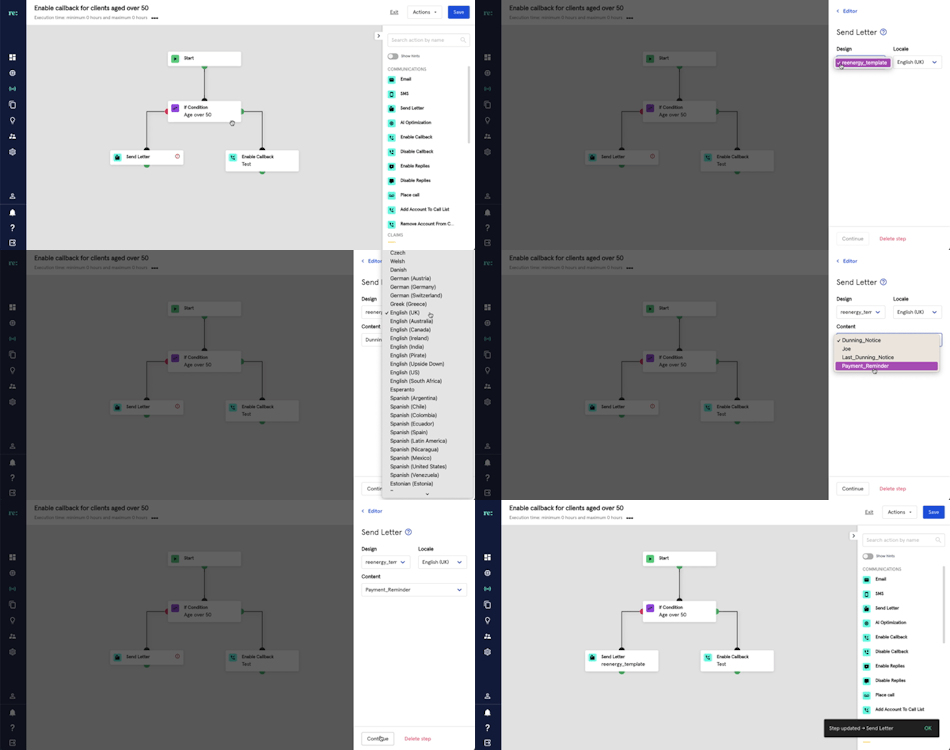
Setup the details of the letter by following these steps:
- Select a design
- Choose a locale
- Select a content
- Click Continue to save the step and go back to your strategy
Note that to use the 'Send letter' step, you will have to create a letter using our Letter Builder. You can find more information on that here