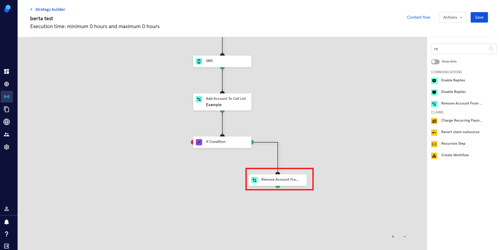
Step: Add/remove account to/from call list
Add account to call list
Let's say you work with an external dialer software and you want a specific group of agents to contact accounts that fall under certain conditions.
The first step would be segmenting appropriately using the steps that work for your case. The second, using the 'Add account to call list' step. Here's how:
- Click on Strategy>Strategy Builder
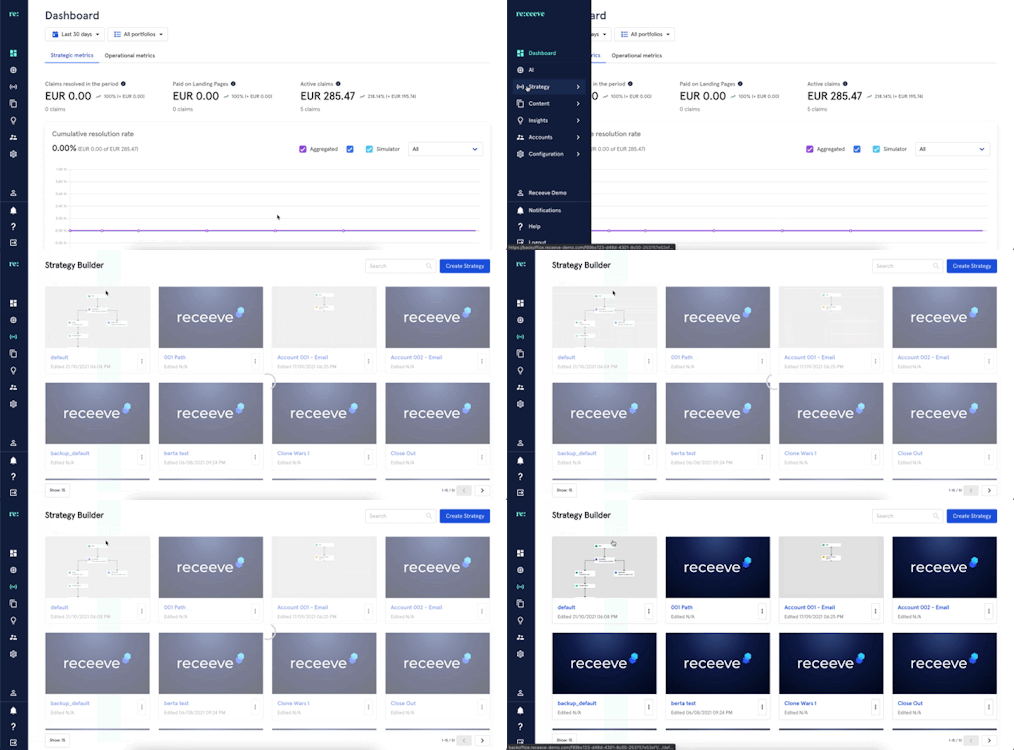
- Go to an existing strategy or create a new strategy.
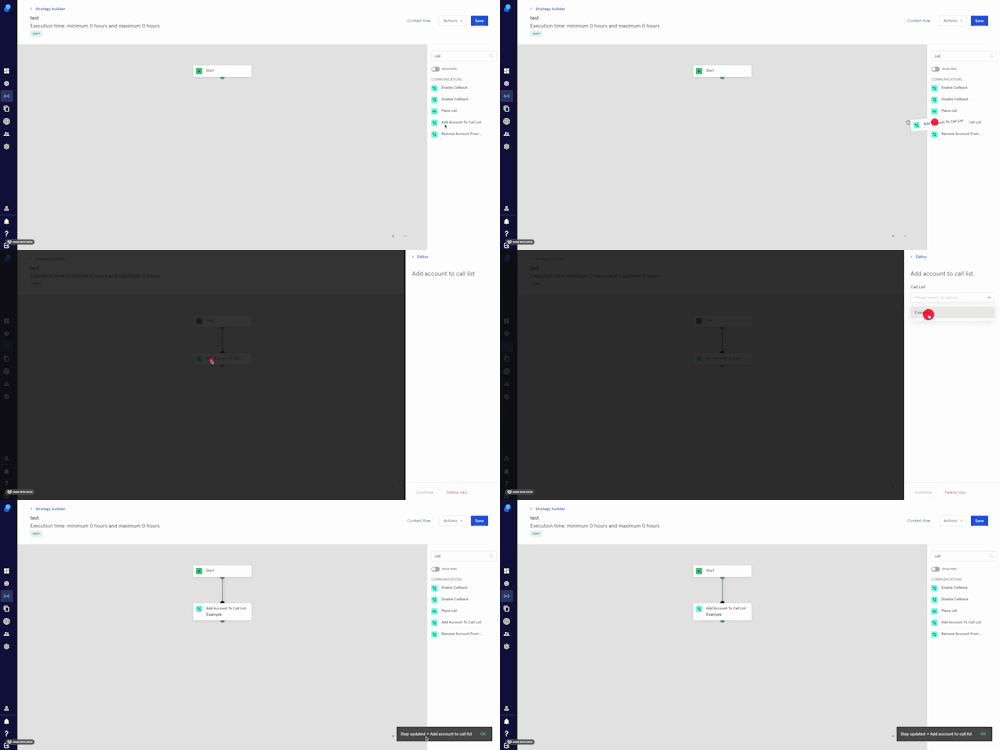
- In the step library, locate the ‘add to call list’ step under the Communications section (Green) and then drag it to the Strategy Builder.
- Click on the step and Select a call list from the dropdown.
- Click on 'Continue' to proceed or click on 'delete step' to delete.
Please note:
This step will only be relevant if you're using an external dialer software.
You'll need to previously configure your call lists so they show in the dropdown.
Remove account from call list
We'll follow the steps described in the previous section. In this case you'll drag and drop the 'remove account from call list' step from the Step Library onto your strategy.
Example:
We don't want an agent to call if the amount is 50 € or less so this is what we do:
- Add an 'if condition' step.
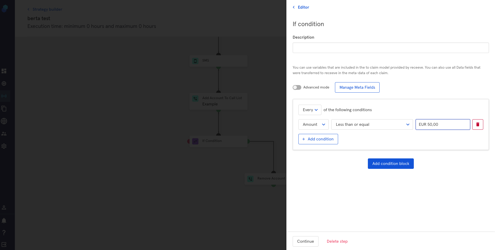
- For accounts fulfilling the condition (green side), we'll add a 'remove account from call list' step.