Step: Set Claim Domain
The ‘Set Claim Domain’ step will let you identify the domain to which a claim will be coursed through.
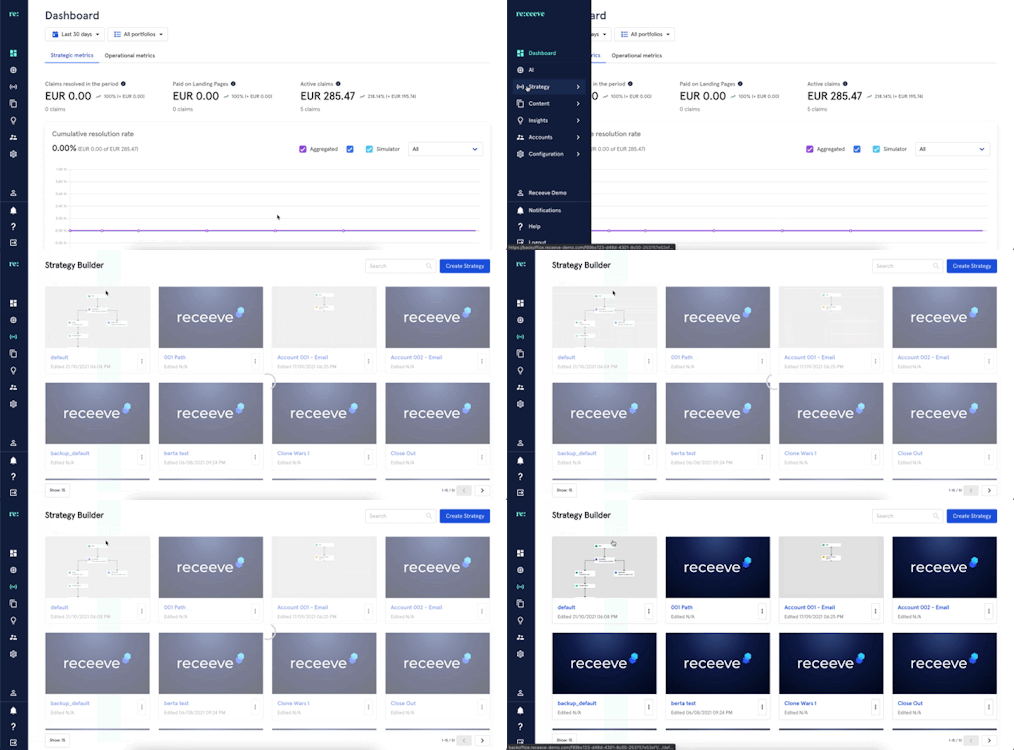
To do this, find Strategy from the menu and go to Strategy Builder.
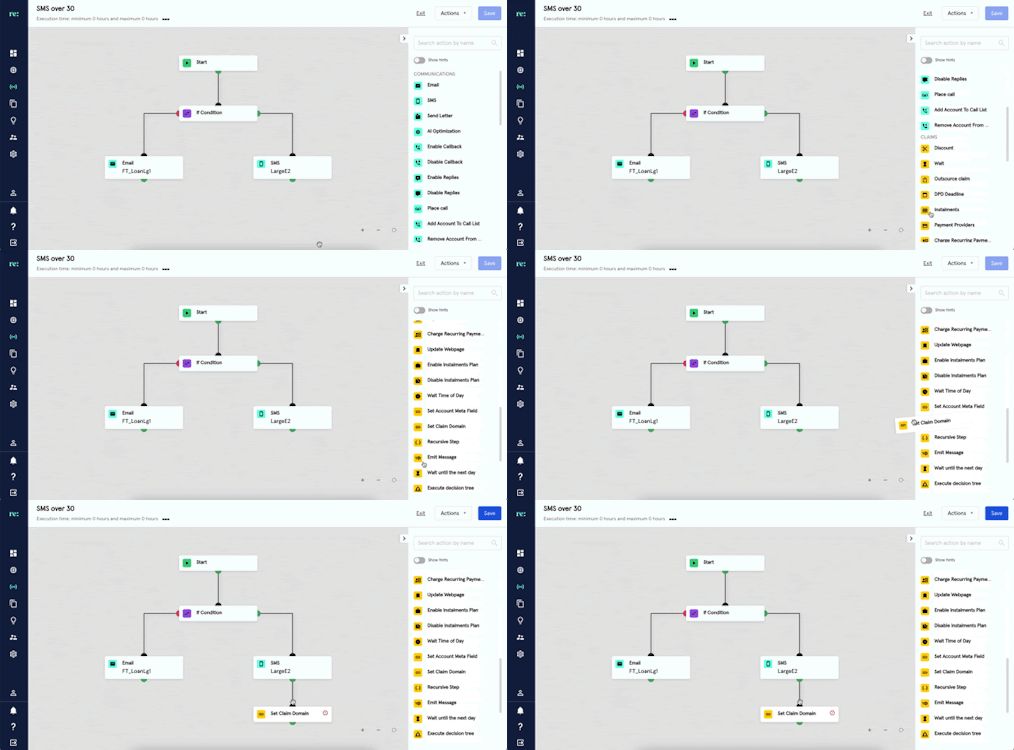
Click the ‘Set Claim Domain’ step under the Claims section of the steps library and drag to the strategy. This step is illustrated with a yellow icon.
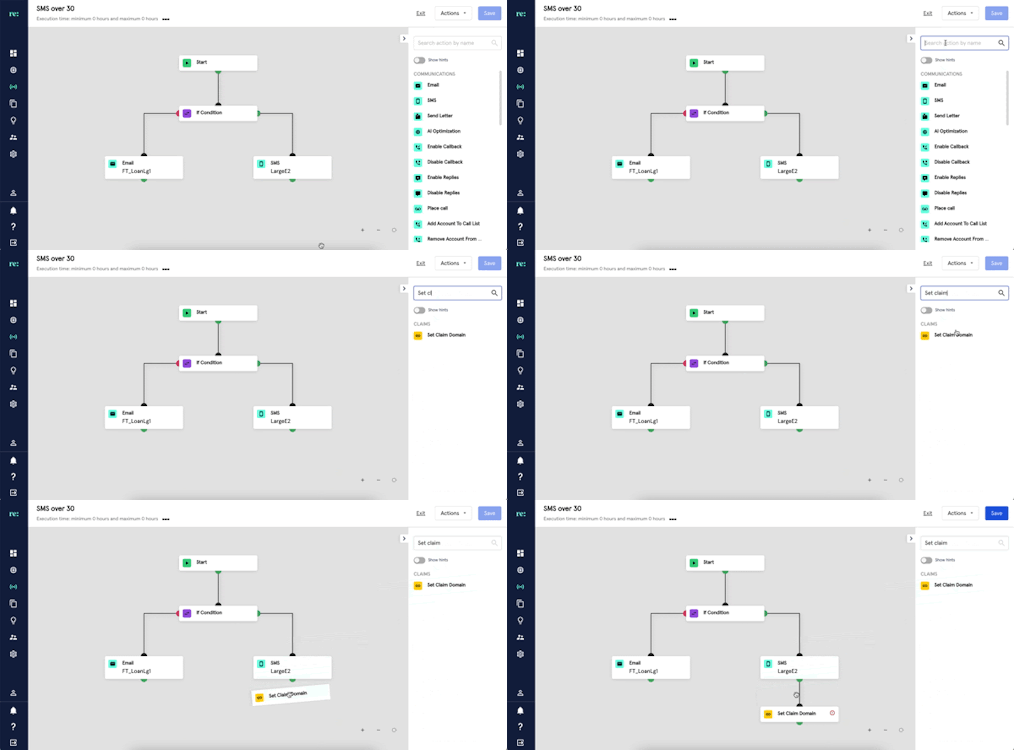
You may also look for Set Claim Domain by typing it at the search bar.
Once linked, click on the step and add a description. Then input the claim domain link for the created step.
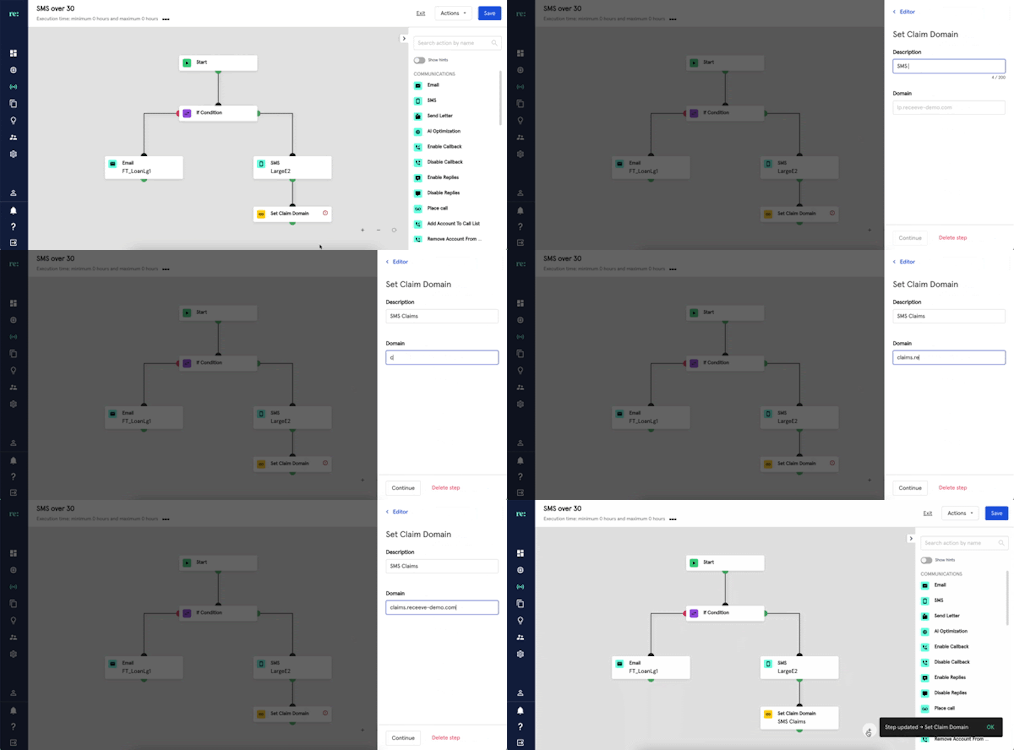
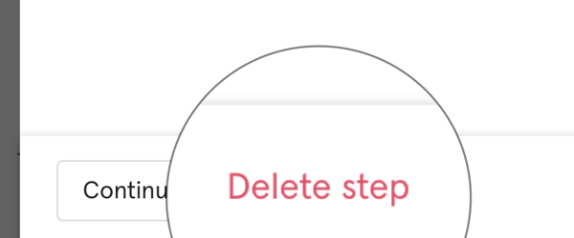
A ‘Set Claim Domain’ step may also be deleted by clicking the ‘Delete Step’.