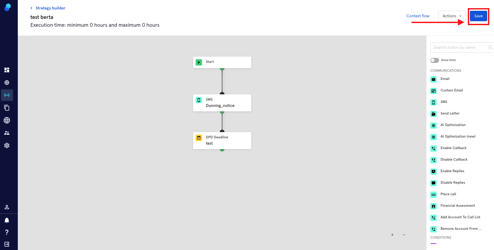
Step Type: DPD Deadline (Days Past Due)
This step allows you to wait until you have reached a certain number of days past due. Let's see an example:
A claim's creation date is April 3rd. You add the step DPD Deadline choosing 7 days past due. When the claim hits this step, it will add 7 days to the due date, and continue executing on April 10th.
The step
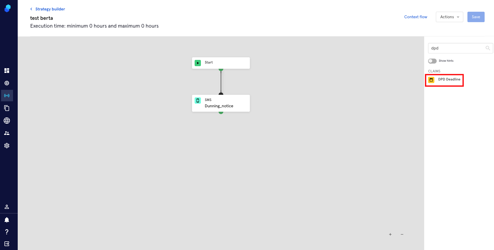
- Look for the step scrolling down (Claims section in yellow) or use the search box
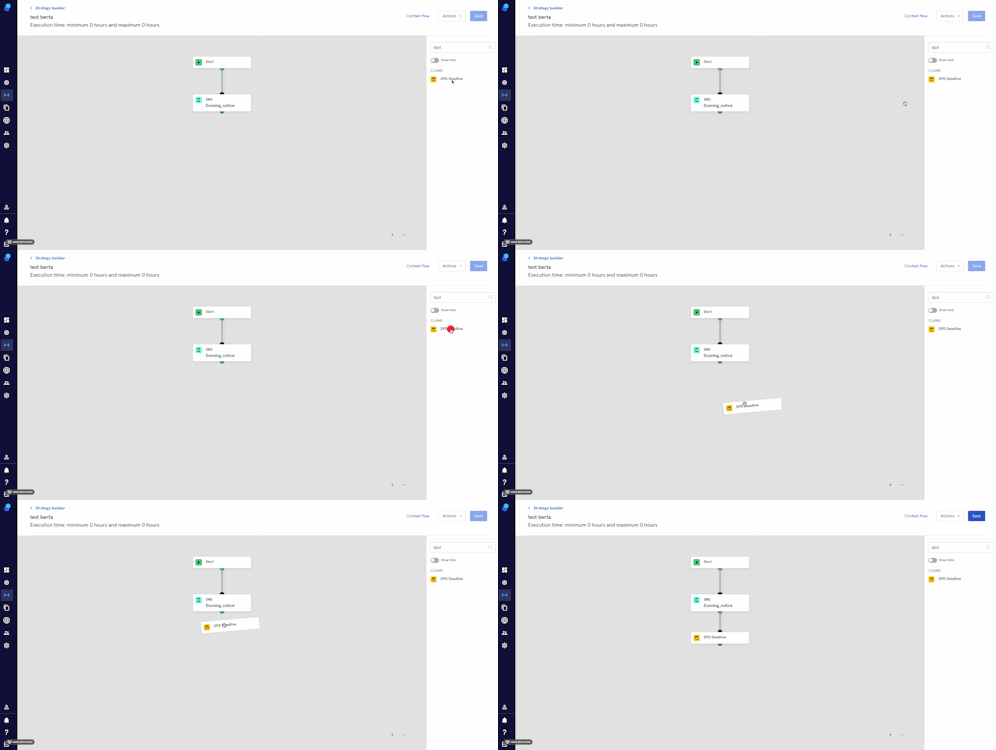
- Drag and drop the step into the strategy.
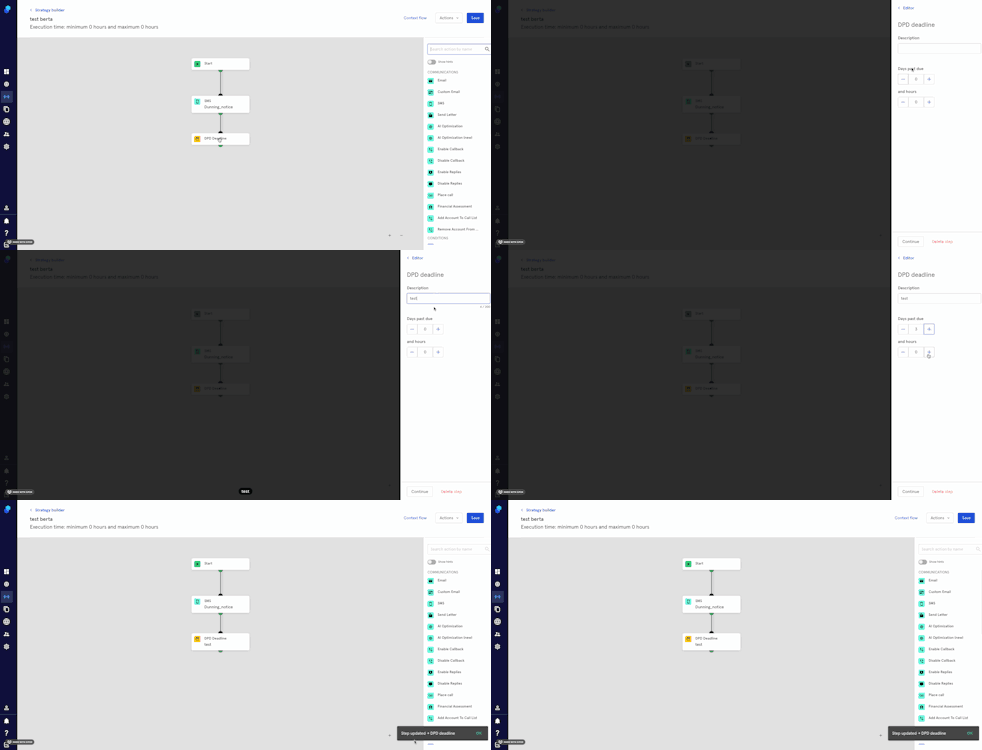
- Click on the step so the modal opens up.
- Add a description.
- Add the days/hours past due.
- Click Continue to add the step to your strategy or Delete Step to delete it.
IMPORTANT: Remember to click on 'Save' to save all the changes you've made in your strategy