Step Type: Switch Path
Switching paths allows you complete flexibility in how you combine strategies to create an entire strategy for a claim. You can create small paths/strategies that are easier to focus upon and maintain. For example:
You have two products that need to be handled differently for the first 30 days, but after that they'll use the same content and logic. You would create 3 paths:
- Product 1 Days 0-30,
- Product 2 Days 0-30, and
- Post Day 30.
You would create the strategy for product 1, then the strategy for product 2, and at the end of each strategy, you would add a 'switch path' step redirecting claims to the strategy 'Post Day 30' in both cases.
Creating the step
- Create strategies as explained in this article. Using the example described, we'd be creating:
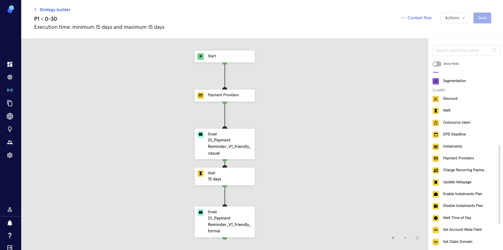
- Product 1 Days 0-30
-
- Product 2 Days 0-30
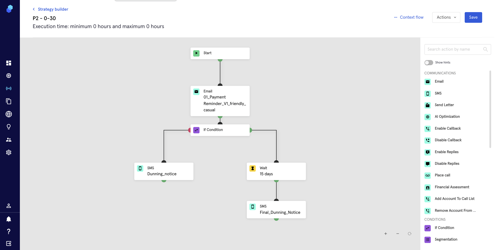
-
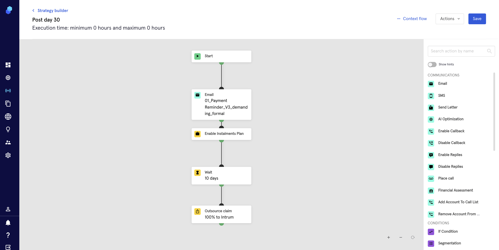
- Post day 30
- Now, since we'll be using the strategy 'Post Day 30' for P1 and P2 after 30 days:
- Drag and drop the 'switch path' step onto the strategy. Place it at the end of it (In this case, P1).
- Click on the step to select the strategy where you'll be sending the claims (in this case, Post Day 30).
- Click on 'Continue' to save the changes within the step.
- Click on 'Save' to save strategy changes.
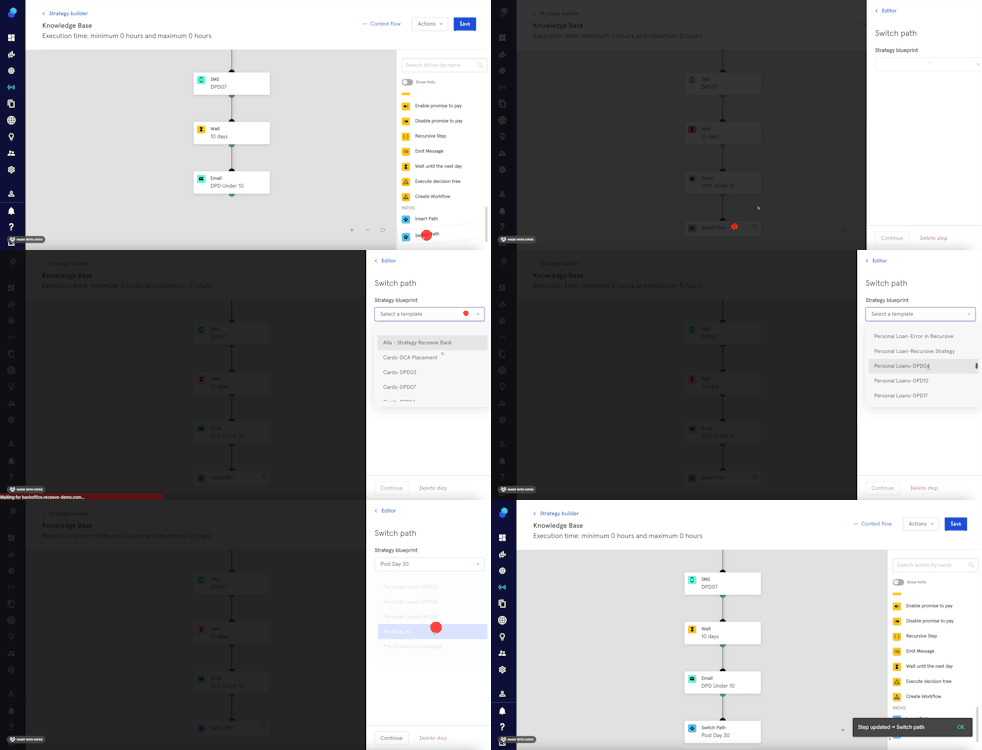
- Following the example, we would repeat these steps on strategy P2.