Step type: wait-time of day
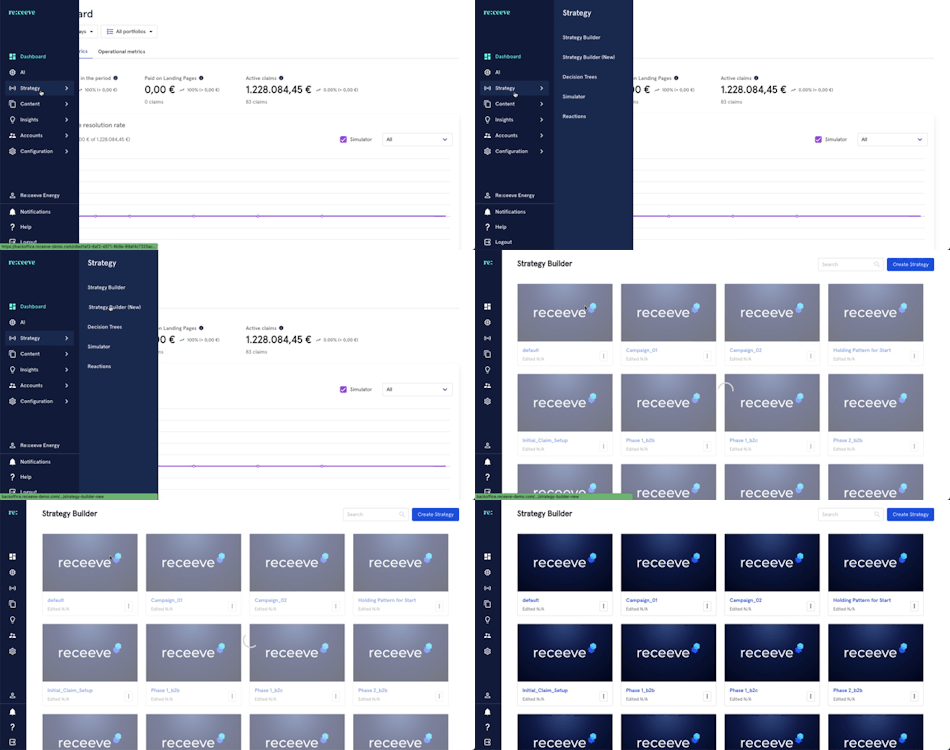
The goal of the Wait-Time of day step is to allow you to specify the exact hour to execute the next step. To configure the step type ‘Wait-time of day’. We go to the Strategy in the menu and click Strategy Builder:
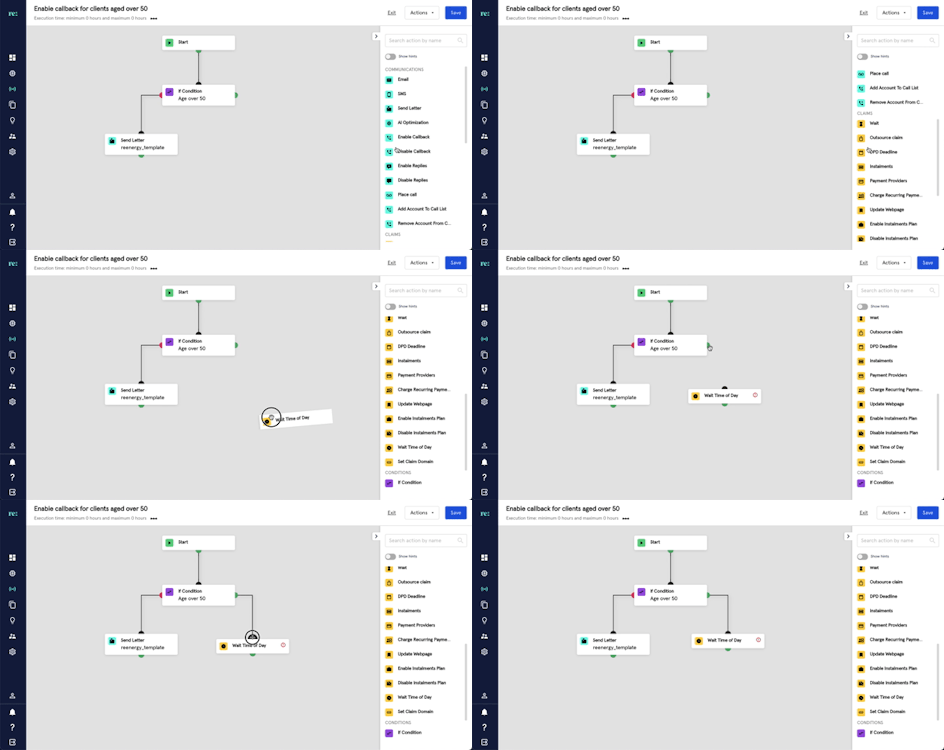
Start by dragging the Wait-time of day step from the step library to the Strategy. The Wait-time of day step is with a yellow icon under the Claims section. Make sure to connect the steps by dragging the dots.
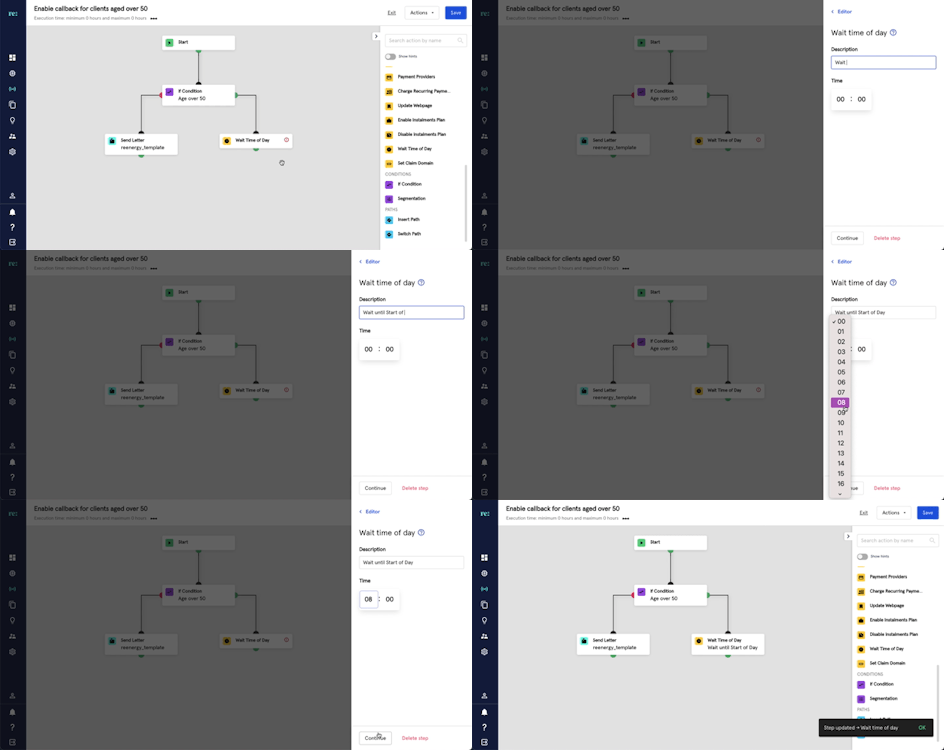
Click the step to write a description and select the time preferred before performing the next action. Click Continue to finalize.
Drag the step that should wait the assigned time of day (in this case, Enable Callback) and connect it to the Wait-Time of day step.