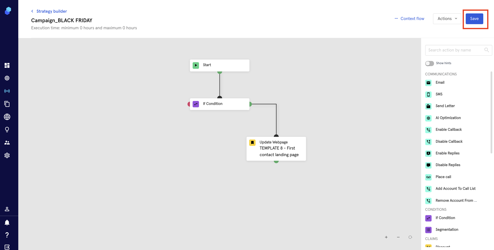
Step - Update Landing Page
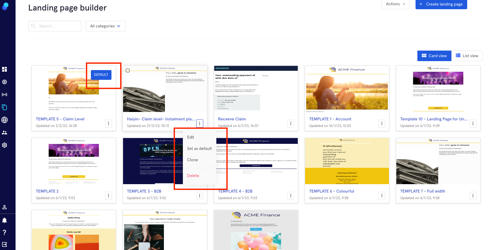
While there's a default Landing Page we can use in our strategies and reactions (you would do that by clicking on the 3 dots seen in the following image), the 'Update Webpage' step will allow you to use a landing page of your choice for a specific strategy or reaction.
Creating the step
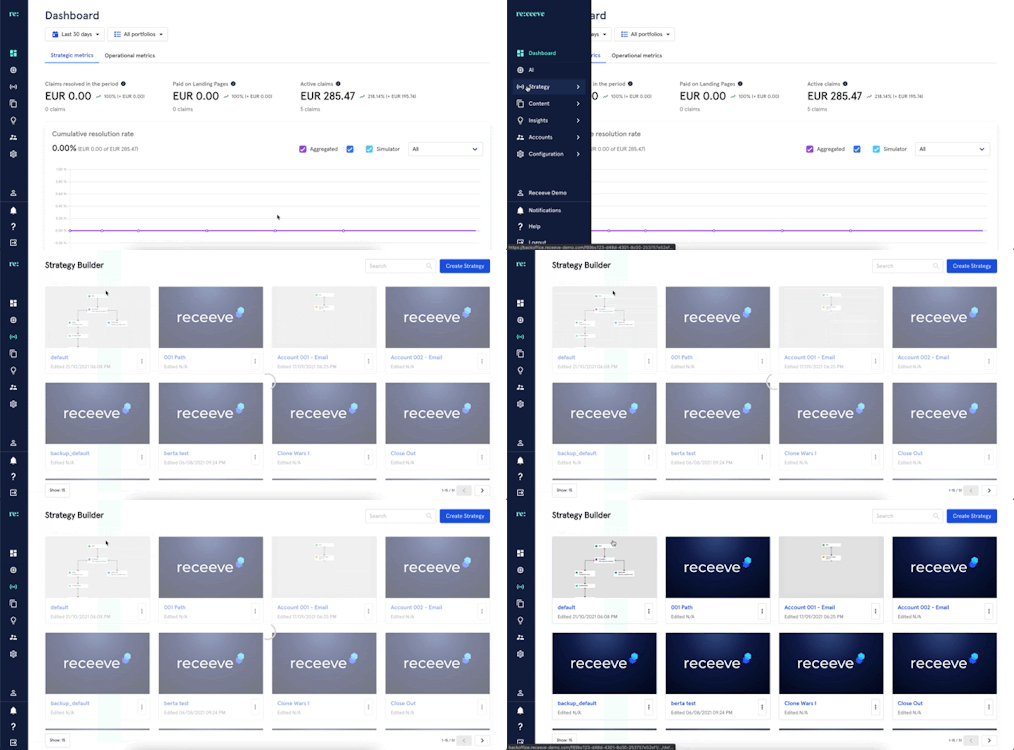
- Click on 'Strategy' in the main menu and then click on 'Strategy Builder'.
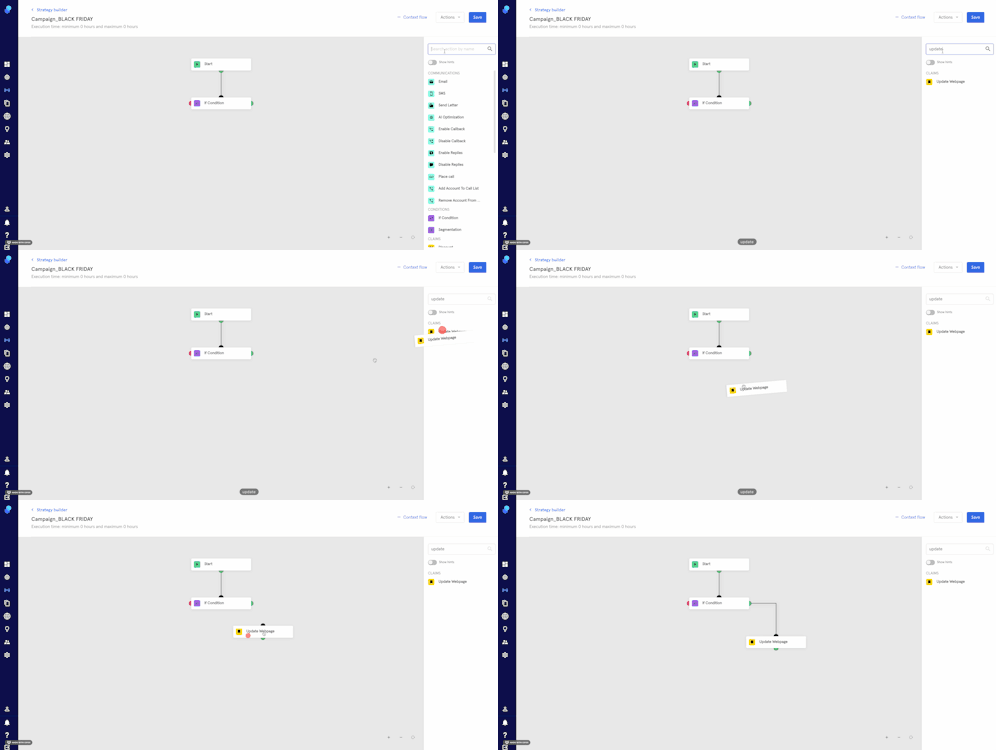
- On the step library, locate ‘Update Webpage’ under the Claims section (Yellow) and then drag it to the Strategy Builder.
You may also look for the 'Update Webpage' step by typing it at the search bar.
- Click on the step and select a template
- Click on 'Continue' to save the changes made in the step.
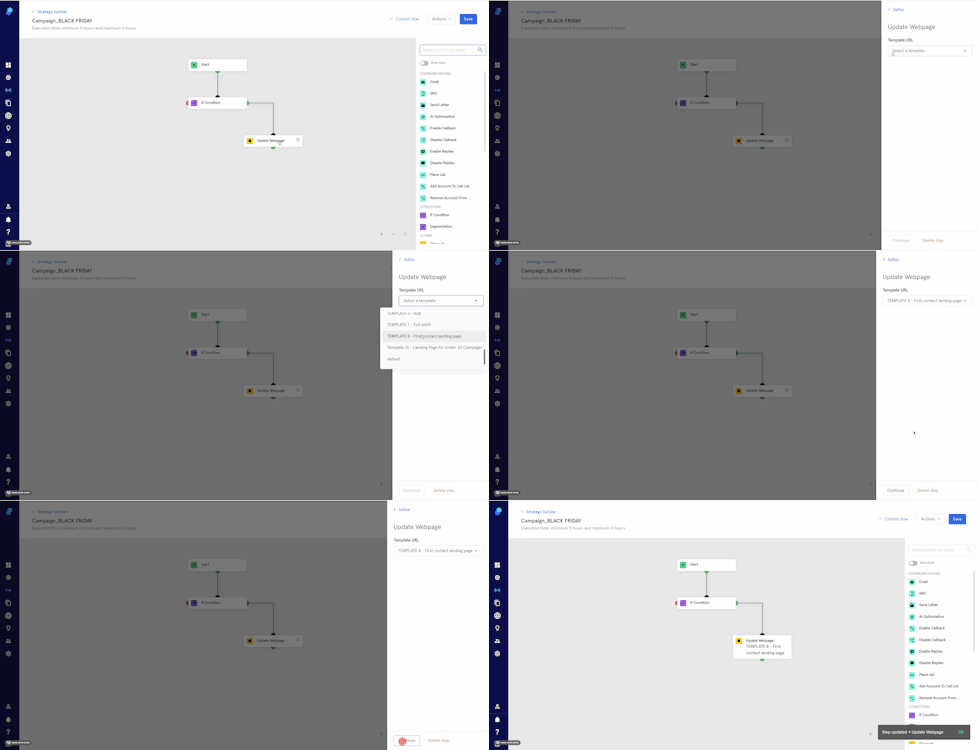
5. Click on 'Save' (top right) to save the changes made in your current strategy.