Saving your changes
AI edits follow exactly the same save rules as manual edits. Understanding this is important: the assistant never saves or activates anything on its own.
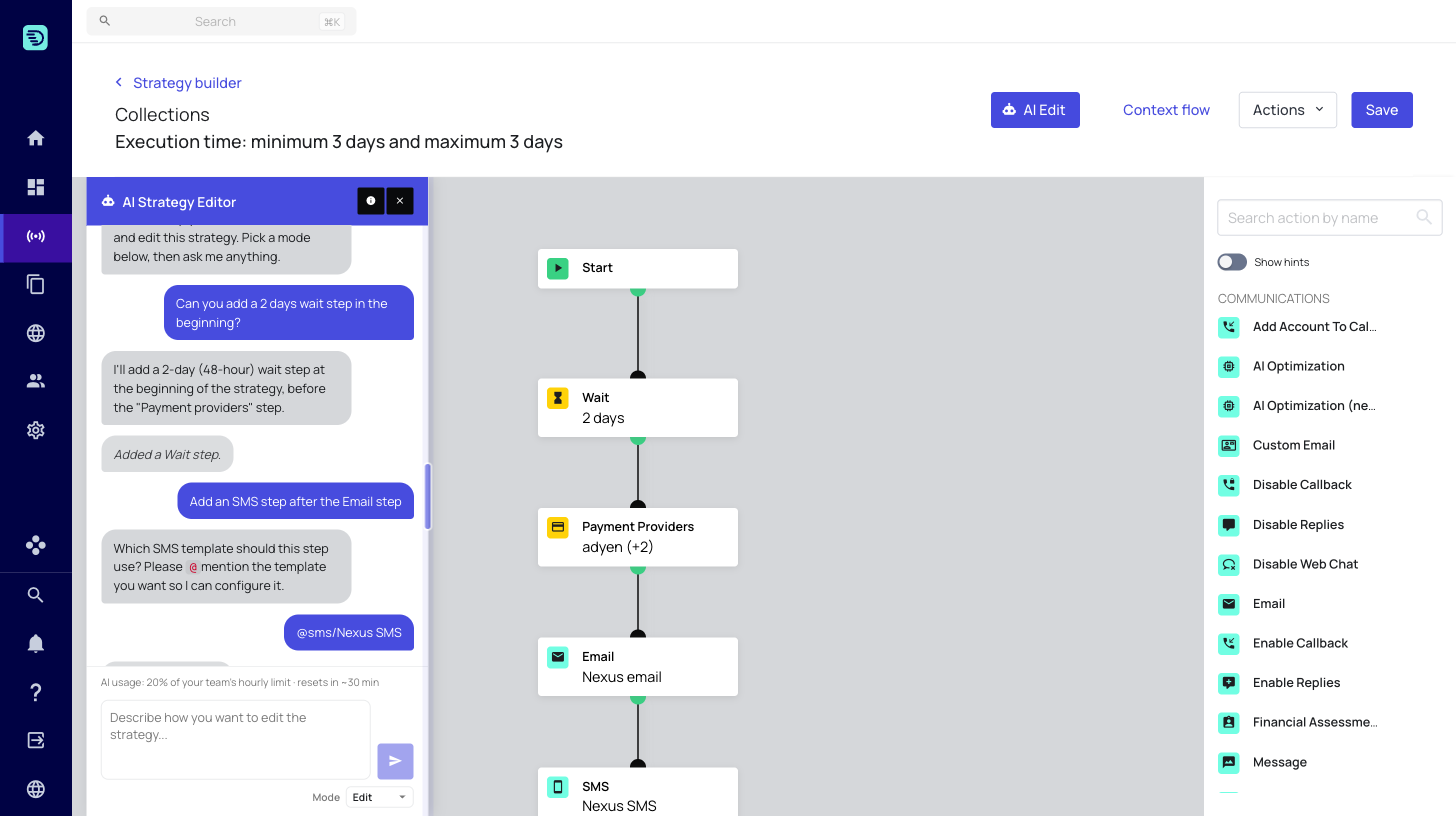
Nothing is saved automatically
When the assistant edits your strategy, the change is applied to the canvas only. It is not written back to the server until you click Save. There is no background sync and no auto-save triggered by AI actions.
This means you can experiment freely — ask for changes, see how they look, and discard them by leaving the page if you don't want to keep them.
Live preview on the canvas
Every AI edit appears on the canvas immediately, in the same place a manual edit would. You see the new or changed step in context before you commit to it, and the Save button becomes active once there are unsaved changes.
Undo, redo and manual edits
AI edits and manual edits share the same history:
- Undo / redo works across both — you can undo an AI change just like your own.
- You can adjust an AI-added step by hand afterwards.
- You can mix AI and manual edits in any order.
Saving
When you're happy with the result:
- (Optional but recommended) Switch to Validate mode and check the strategy.
- Click Save in the Strategy Builder header.
Your changes — whether made by you, the assistant, or both — are persisted together at that point.
If you leave the Strategy Builder without clicking Save, all unsaved changes are discarded, including those made by the assistant.