Validate your strategy
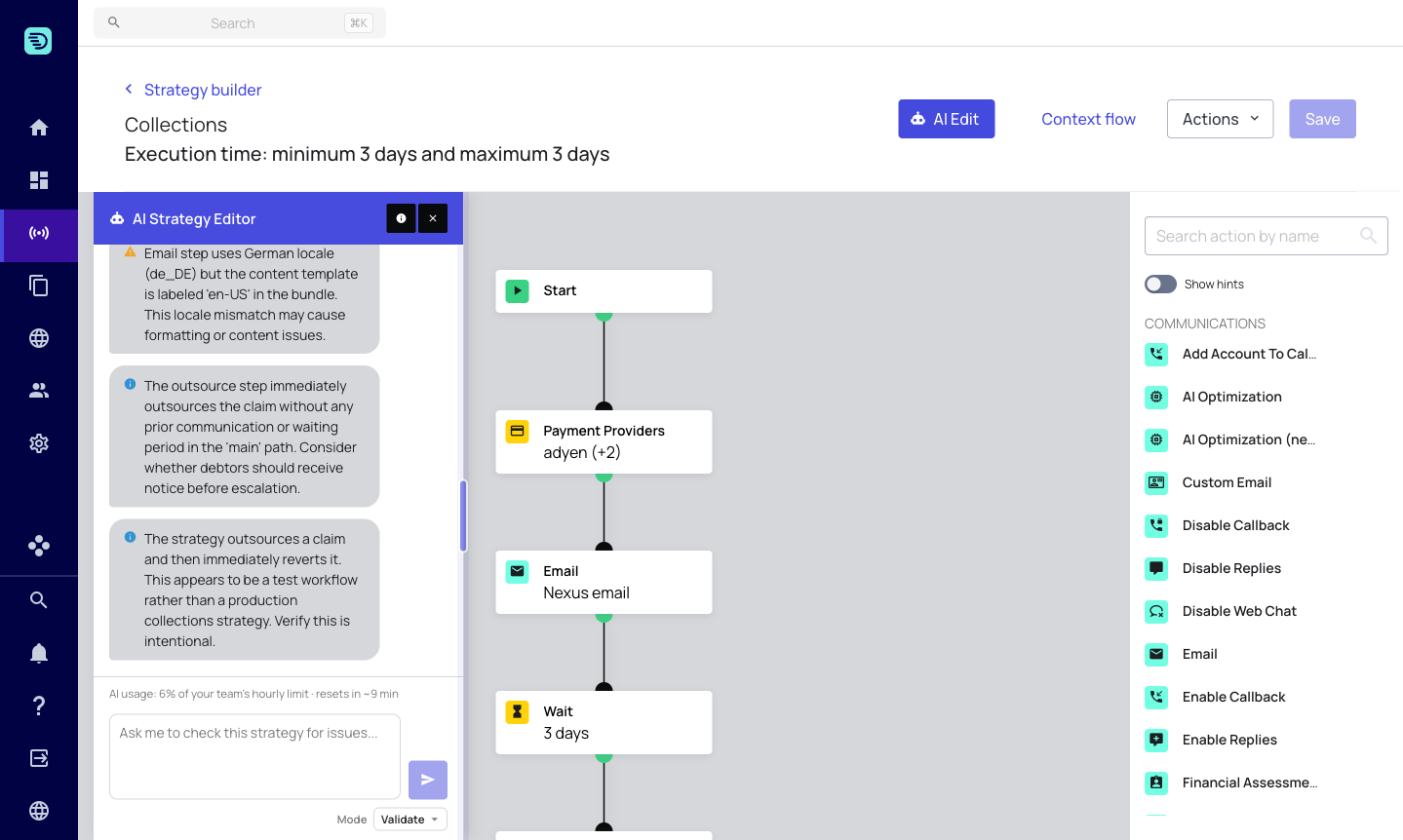
Validate mode checks your strategy for problems before you save or activate it. Like Explain, it is read-only — it reports issues but doesn't change anything. Use it to catch misconfigurations and logic errors early.
Select Validate from the Mode selector, then ask it to check the strategy:
- "Validate this strategy and list any configuration problems"
- "Is there anything wrong with this strategy?"
- "Check this strategy for issues before I save"
What it checks
The assistant combines automated checks with an understanding of how the strategy is meant to flow. It surfaces issues such as:
- Missing or incomplete configuration — a step that hasn't been fully set up (for example, a send step with no template, or a required field left empty).
- Condition & logic problems — issues in If Condition and Segmentation steps, such as an expression that doesn't match its configured condition blocks.
- Connectivity — steps that aren't connected into the flow, or paths that reference something that doesn't exist (for example, a Switch Path pointing at an invalid target).
- Risky setups — configurations that are technically valid but may not be what you intended, such as outsourcing a claim with no prior communication.
Each finding explains what the problem is and where it is, so you can jump to the step and fix it.
Fix and re-validate
When the assistant reports a problem you can:
- Switch to Edit mode and ask it to fix the issue, or fix the step yourself on the canvas.
- Switch back to Validate and run the check again to confirm the issue is resolved.
If everything is in order, the assistant tells you the strategy looks clean rather than inventing problems.
Run Validate as a final check before you click Save, especially after a round of AI or manual edits.