Placeholders & personalization
Your emails are personalised for each recipient using placeholders — written in Handlebars syntax, such as {{firstName}}. The assistant understands the placeholders, meta fields and helper functions available to your template and can add, explain and format them for you.
Placeholders
Placeholders are filled in per recipient when the email is sent. {{firstName}} becomes the recipient's first name; {{localizedTotalAmount}} becomes their balance formatted as currency, and so on.
You don't have to remember the exact names — ask the assistant what's available for the template you have open:
- "What placeholders can I use in this email?"
- "Add the customer's last name after the greeting"
- "Insert the total amount due in the summary"
It answers from your template's real placeholder catalogue and only inserts placeholders that actually exist. If you ask for one that isn't available, it tells you rather than inventing it.
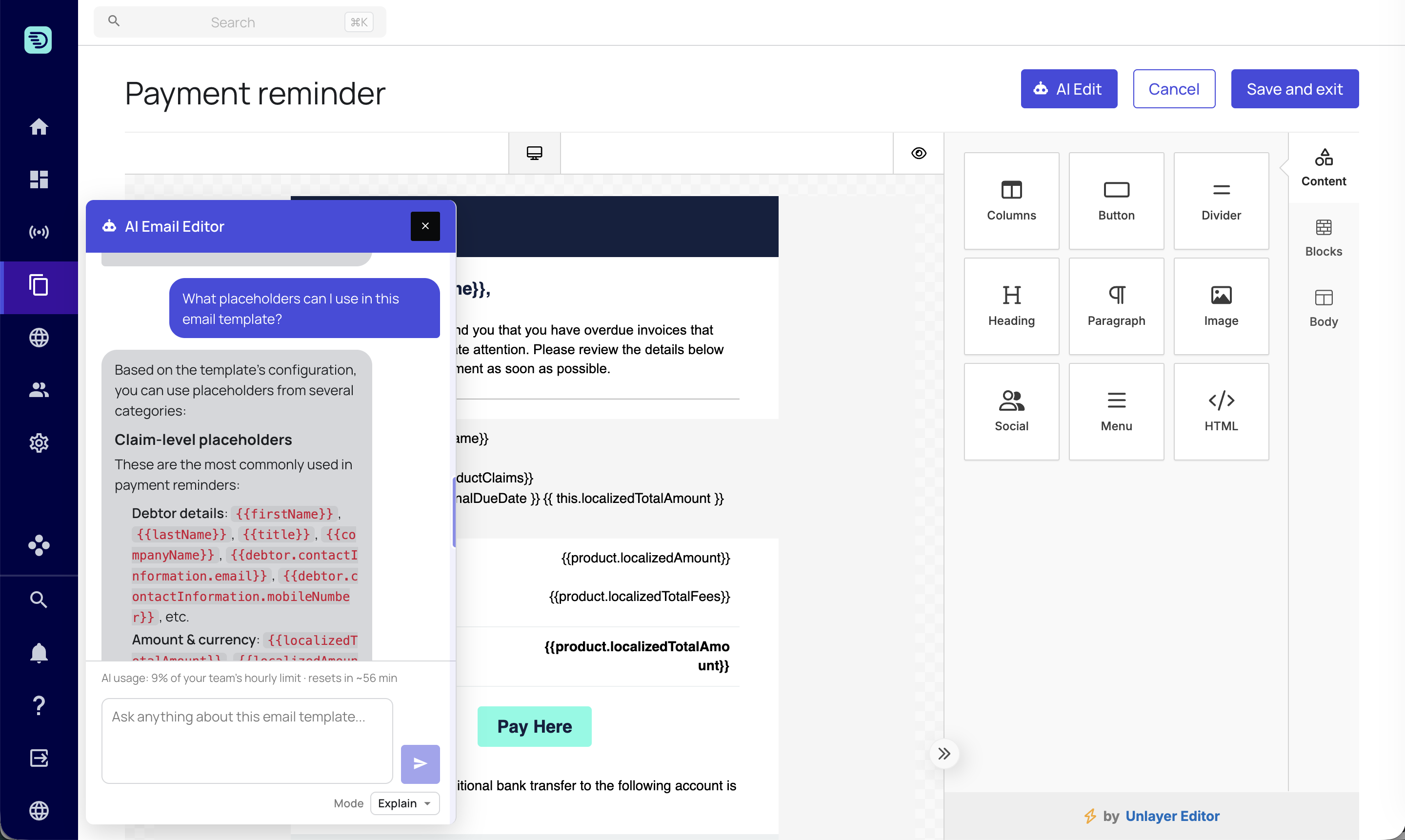
Meta fields
Alongside the standard placeholders, your account may have custom meta fields on accounts, claims and products. These are referenced as {{meta.…}}:
- "What meta fields are available here?"
- "Add the reference number from the claim meta fields"
The assistant lists your client's meta fields on request and will only use fields that exist in your schema.
Formatting helpers
Handlebars helpers let you format values. The assistant knows the formatting helpers available on the platform and can apply them correctly:
- "Format the total amount as currency"
- "Show the due date in a readable format"
For example, it can wrap a value in a currency or date helper so it renders neatly for the recipient.
Other Handlebars features
Beyond formatting, the assistant understands the wider set of Handlebars helpers and can use them to build conditional and repeated content:
- Conditional, comparison and text helpers — for example showing something only when a value is set, or comparing two values.
- Block helpers —
{{#if}},{{#each}},{{#with}}and{{#unless}}— for personalised or looped content, such as listing each of a customer's claims.
Ask in plain language — "only show the discount line if there's a discount" — and it builds the right expression.
Not sure what you can personalise? Ask "what placeholders and meta fields can I use here?" first, then ask the assistant to insert the ones you want.